What is email spoofing and what is phishing? A simple guide.
Email threats are a widespread global problem. If you use email for your profession or business, you're a prime target for criminals using spoofing and phishing. These terms may seem technical, but the concepts are straightforward. This guide explains how spoofing and phishing work, how to spot suspicious emails, and how to protect your own domain from impersonation.
Updated: 14 April 2026
Author: Helen Hare – Email systems expert with 25+ years' experience in deliverability and infrastructure
Quick Answer
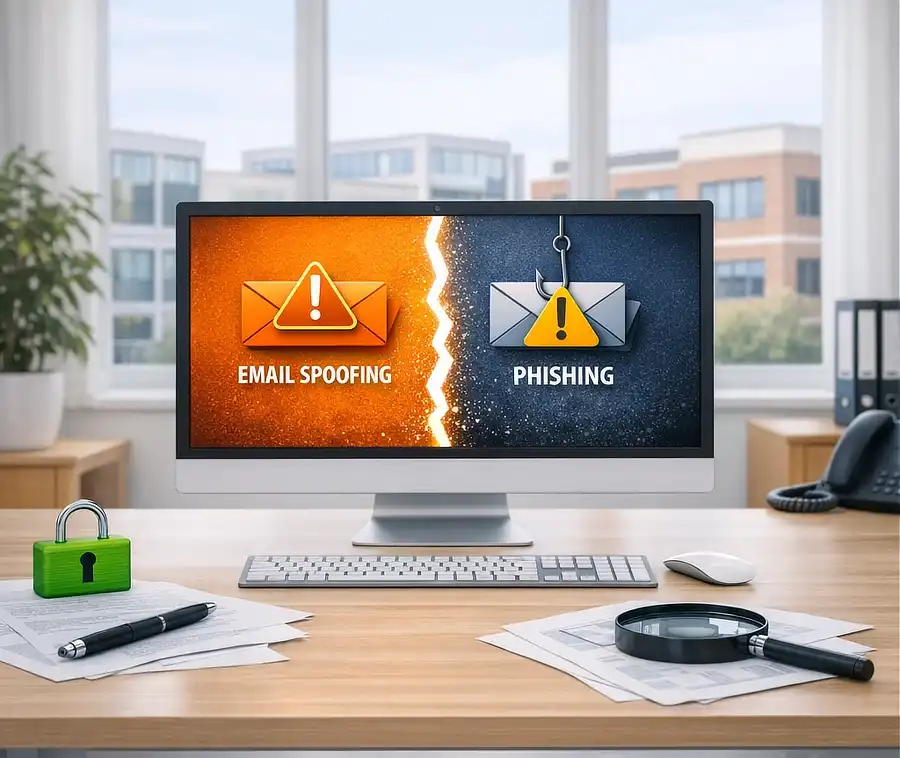
Email spoofing is when an attacker fakes the sender address.
Phishing is when an attacker tricks you into taking an action.
Spoofing makes the email look real.
Phishing is the scam itself.
How cyber scams impact businesses: UK email threat statistics
What is email spoofing
Email spoofing is when someone sends a message that pretends to come from an address they do not own. Criminals change the visible sender information so the email appears to come from a trusted domain. This could be your business domain, a supplier you work with, or a well known company.
Spoofing is possible because email was originally designed without strong identity checks. Modern standards like SPF, DKIM and DMARC help prevent this, but many domains are not configured correctly, allowing criminals to send emails that appear to come from you.
For business owners, this can be particularly damaging. A spoofed email could:
- Ask a client to pay an invoice to the wrong bank account
- Cause confusion inside your team
- Send malicious requests to your contacts
Spoofing is not hacking. Criminals do not need access to your account to impersonate you.
What is phishing
Phishing is a scam where criminals try to trick you into taking an action that benefits them. This usually involves clicking a link, entering login or payment details, downloading a file or sharing sensitive information.
These phishing scams often appear as security alerts, password reset requests, invoice notifications or messages from colleagues.
Phishing is the most common type of cyberattack affecting UK organisations. Government research shows that 85% of businesses that experienced a cyber incident reported phishing as a factor, making it the most prevalent threat by far.
Phishing and spoofing often work together. Spoofing makes the email look legitimate. Phishing provides the bait.
Phishing can lead to compromised accounts, stolen data, fraudulent payments and loss of trust.
Email spoofing vs phishing: key differences
| Feature | Email Spoofing | Phishing |
|---|---|---|
| Purpose | Email Spoofing: Fake the sender identity | Phishing: Trick the recipient into taking action |
| Requires user action | Email Spoofing: No | Phishing: Yes |
| Main goal | Email Spoofing: Appear trustworthy | Phishing: Steal data or money |
| Can exist alone | Email Spoofing: Yes | Phishing: Usually combined with spoofing |
Real-world example
A common business scam looks like this:
- You receive an email that appears to come from your supplier
- The sender address looks legitimate (spoofed)
- The email asks you to pay an invoice urgently (phishing)
- The bank details have been changed
Result: Payment goes to the attacker instead of your supplier.
Key risks from spoofed and phishing emails
Spoofed and phishing emails can cause serious problems for anyone using email, especially for work or business. The main risks include:
- Financial loss from fraudulent invoices or if you act on a fake request
- Reputational damage if contacts believe the message came from you
- Compromised accounts and stolen data
- Malware infections and operational disruption
- Loss of trust from clients and partners
Criminals target business domains because they appear more trustworthy, handle money and sensitive data, and often receive quick responses. A single successful scam can be highly profitable.
In the UK, fraud losses exceeded £629 million in just the first half of 2025, with many scams starting through phishing or social engineering.
How to recognise a fake email sender
You do not need technical knowledge to spot many spoofed or phishing emails. Warning signs include:
1. The email address is slightly wrong
Criminals often use lookalike domains like accounts@yourbusines.co.uk or billing@yourbusiness.co.uk.secure-verify.com. Always check the full email address, not just the display name.
2. The message asks for urgent action
Common tactics include:
- Requests to pay an invoice immediately
- Claims that your account will be suspended
- Warnings about unusual activity
- Messages that pressure you to act quickly
3. The link does not match the real website
Hover over links to see where they lead. If the address looks unusual, do not click.
4. The email asks for login details
No reputable company will ask for passwords or full security information by email.
5. The writing style feels off
If a message claims to be from someone you know but the tone is unusual, be cautious.
6. The email comes from your own address
If you receive an email that appears to come from your own domain, it's usually spoofed. It doesn't mean your account has been hacked.
7. Unexpected attachments
If you were not expecting a file, treat it as suspicious.
What to do with suspicious emails
If something feels wrong, take these steps.
1. Do not click anything
Avoid links, attachments and reply buttons.
2. Verify the sender
Contact the person or company using details you already trust.
3. Report the email
Report scam emails to the UK's National Cyber Security Centre. Also, most email services allow you to mark messages as spam to help with future spam detection.
4. Delete the message
Once reported, remove it from your inbox.
5. If you clicked a link
Change your password immediately. If you entered financial details, contact your bank.
How to prevent email spoofing using your own domain
If you use your own domain for business email, protecting it is essential. Without proper security, criminals can impersonate you and send fake messages to your clients.
Impersonation is a common tactic. Around 15% of UK businesses reported attacks where criminals impersonated their organisation or staff in emails or online, often using spoofed email addresses.
The three key standards used to protect your domain from spoofing are SPF, DKIM and DMARC, which work together to verify your outgoing email.
- SPF identifies which servers can send email for your domain.
- DKIM adds a digital signature so messages can be verified.
- DMARC is a policy that tells receiving servers what to do if a message fails SPF and DKIM checks, and report spoofing attempts.
For a breakdown of how they work together and how to set them up, check out the article SPF, DKIM, and DMARC Explained
These settings require DNS changes, which many people find confusing. Many businesses opt for a provider where SPF, DKIM and DMARC are fully set up automatically, like Absolute-Email, which keeps your domain protected and improves inbox delivery.
Why spoofing and phishing are common
Even with modern security standards, spoofing and phishing continue because:
- Not all domains use SPF, DKIM and DMARC
- Criminals constantly change tactics
- Many users are unaware of the warning signs
- Email is used by billions of people
- Businesses are valuable targets
Education and proper domain configuration are the strongest defences.
Despite increasing awareness, attack volumes remain high. UK cybersecurity systems blocked nearly one billion attempts to access malicious websites in a single year, many of which were linked to phishing campaigns.
FAQs
Email spoofing vs phishing: what's the difference?
Email spoofing is when someone pretends to send a message from an address they do not own. Phishing is when criminals try to trick you into clicking a link, opening a file or sharing information. Spoofing makes the email look real, while phishing provides the scam.
How can I recognise a fake email sender?
Look for unusual email addresses, spelling mistakes, unexpected attachments, urgent requests or links that do not match the real website. If the email claims to be from your own domain, it may be spoofed.
What should I do with suspicious emails?
Do not click anything. Verify the sender using trusted contact details, report the email as spam or phishing, and delete it. If you clicked a link, change your password.
How do I stop someone spoofing my domain?
Set up SPF, DKIM and DMARC on your domain. These security standards verify your outgoing email and block unauthorised senders. It's best to select a provider who configures these for you, such as Absolute-Email.
Does email spoofing mean my account has been hacked?
No. Spoofing does not require access to your account. Criminals simply pretend to send email from your address. DMARC helps prevent this.
Why are business domains targeted more often?
Business domains look more trustworthy, often handle payments and client data, and are more likely to receive fast responses. This makes them valuable targets for spoofing and phishing.
Final thoughts
If you use email for work or business, understanding email spoofing and phishing is essential. These threats can lead to financial loss, reputational damage and confusion, but they are also preventable. By learning how to recognise fake email senders, knowing what to do with suspicious emails and protecting your domain with SPF, DKIM and DMARC, you can significantly reduce your risk.
To make this process easier and ensure everything is set up right, choose a provider that handles the technical setup for you, like Absolute-Email. With the right tools and awareness, you can keep your inbox secure and maintain the trust of your clients and contacts.